
The standard pallet dimensions, distances, and parameter ranges in this guide apply only to the standard recognition workflow. Evaluate non-standard, legless, or highly reflective pallets on site first.
Prepare for deployment
Standard pallets and installation requirements
This workflow uses a standard two-leg or three-leg pallet. The original workflow uses1.2 m × 0.8 m or 1.2 m × 1.0 m pallets. Confirm non-standard dimensions with MRDVS before deployment.
For fork lengths up to
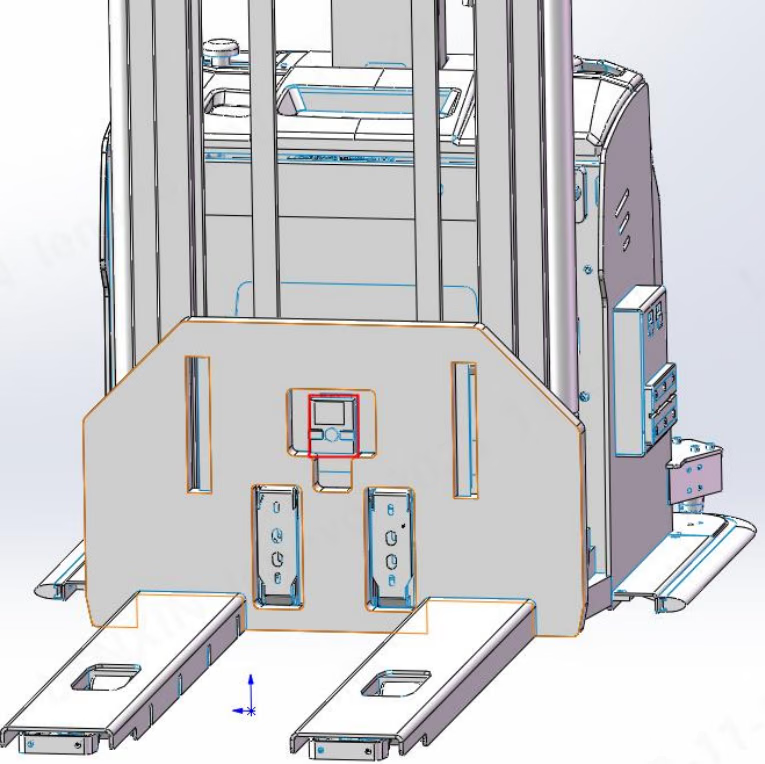
1.2 m, an empirical mounting height is 0.35–0.4 m. For longer forks, use 0.4–0.8 m as a starting range. Confirm the final height from the field of view, pallet-leg imaging, and docking distance.
Equipment and software
- Power the camera with
24 VDCand connect it to the computer with a Cat7 Ethernet cable. - Recommended host: Windows 10 or later, Intel® Core™ i5 (7th generation) or later,
8 GBRAM, and Intel® UHD Graphics or a higher-performance GPU. - When installing PalletPro, accept the C++ runtime prompt. A missing runtime can prevent the application from starting.
Quick deployment
1
Configure the network and open the camera
Put the computer on the
192.168.100.xxx / 255.255.255.0 subnet. Start PalletPro, discover, and open the target camera.2
Verify versions and imaging
In LxCameraViewer, verify that the application, camera firmware, and pallet algorithm versions match the project delivery. Confirm that pallet legs are fully visible in the point cloud.
3
Set the initial height
In Parameter settings, use Height adaptation to obtain an initial value. Fine-tune it against the ground line, then select Save parameters.
4
Run near-end teaching
Use a standard pallet, keep it centered with no nearby obstructions, and select Pallet teaching (near end) when the pallet is about
1.3 m from the camera.5
Run far-end teaching
Keep the pallet in the same lateral position. Reverse the vehicle in a straight line by about
600–1000 mm until the pallet is about 2.0–2.4 m from the camera, then select Pallet teaching (far end).6
Save and verify
Save the parameters and test the near and far positions repeatedly. Check X, Y, angle output, and recognition stability.
Use PalletPro
Main interface
Extrinsic calibration
In Basic operations → Extrinsic calibration, read Calibration notes before teaching. Use the project name and vehicle ID for the customer name. The distance from the camera optical center to the forklift rotation center is required.Advanced parameters
Change only fields required by the project and select Save parameters after every change.Do not change advanced parameters that are not listed here unless requested by MRDVS. Preserve the original configuration and validate each change if you need to adjust leg width, beam detection, or the recognition region.
Offline tests and logs
In Advanced applications → Offline test, drag in:- the
pallet_settings.jsoncalibration file; - one PNG image or a folder containing result images.
Communication integration
TCP and UDP
In LxCameraViewer, select Pallet localization and set it to Always on. The TCP server uses port5501 by default and UDP uses port 8000. Messages use big-endian byte order and a standard frame length of 16 bytes.
The response frame contains a return code, length, X / Y / theta / Z signs, pallet-front-center X / Y, angle theta, and pallet height. Set extension bytes in the current protocol to
0.
RS485 (M4 Pro only)
Use Modbus RTU at9600 baud and 8N1. The default Modbus address is 0x17; use the SDK to set an address from 1–247.
Result fields are X, Y, yaw, return value, and height, each represented by a 4-byte field.
CANopen (M4 / M4 Mega)
CAN uses standard 11-bit frames at250 Kbit/s. The controller sends COB ID 0x212; MODE CTRL 0 disables recognition and 1 enables it. The device returns recognition status, pose, position, height, and pallet dimensions through 0x192, 0x292, 0x392, and 0x492.
Modbus TCP
This interface requires algorithm version0.8.1 or later. The default port is 6601; it listens on all network interfaces and uses register start address 0x100.
Verify and troubleshoot
Calibration acceptance
Drive repeatedly between the near-end and far-end teaching positions. Calibration is acceptable when X and Y errors are within10 mm and recognition is stable without misses. For example, x = -2000, y = 100, and yaw = 2.3 means the pallet is 2000 mm from the camera optical center, 100 mm to the right, and rotated 2.3° counterclockwise in the top view.
Common error codes
Recognition conditions and site limits
- Standard conditions: pallet width and length
800–2000 mm, height80–200 mm, leg width40–200 mm, opening width300–600 mm, beam thickness at least30 mm, and recognition distance1200–3000 mm. - Keep the pallet fully inside the field of view. Avoid occlusion by forks, goods, or nearby objects.
- Test black, low-reflectivity, and highly reflective pallets on site. In the original test, a black pallet with
5%reflectivity could be imaged at2 m; adjust integration time and the low-signal threshold when needed. - For high-position fork pickup, keep at least
200 mmbetween reflectors and pallet legs when possible. - In live docking, use result timestamps at the application layer to determine whether data is fresh and prevent delayed corrections.