
How it works and what it returns
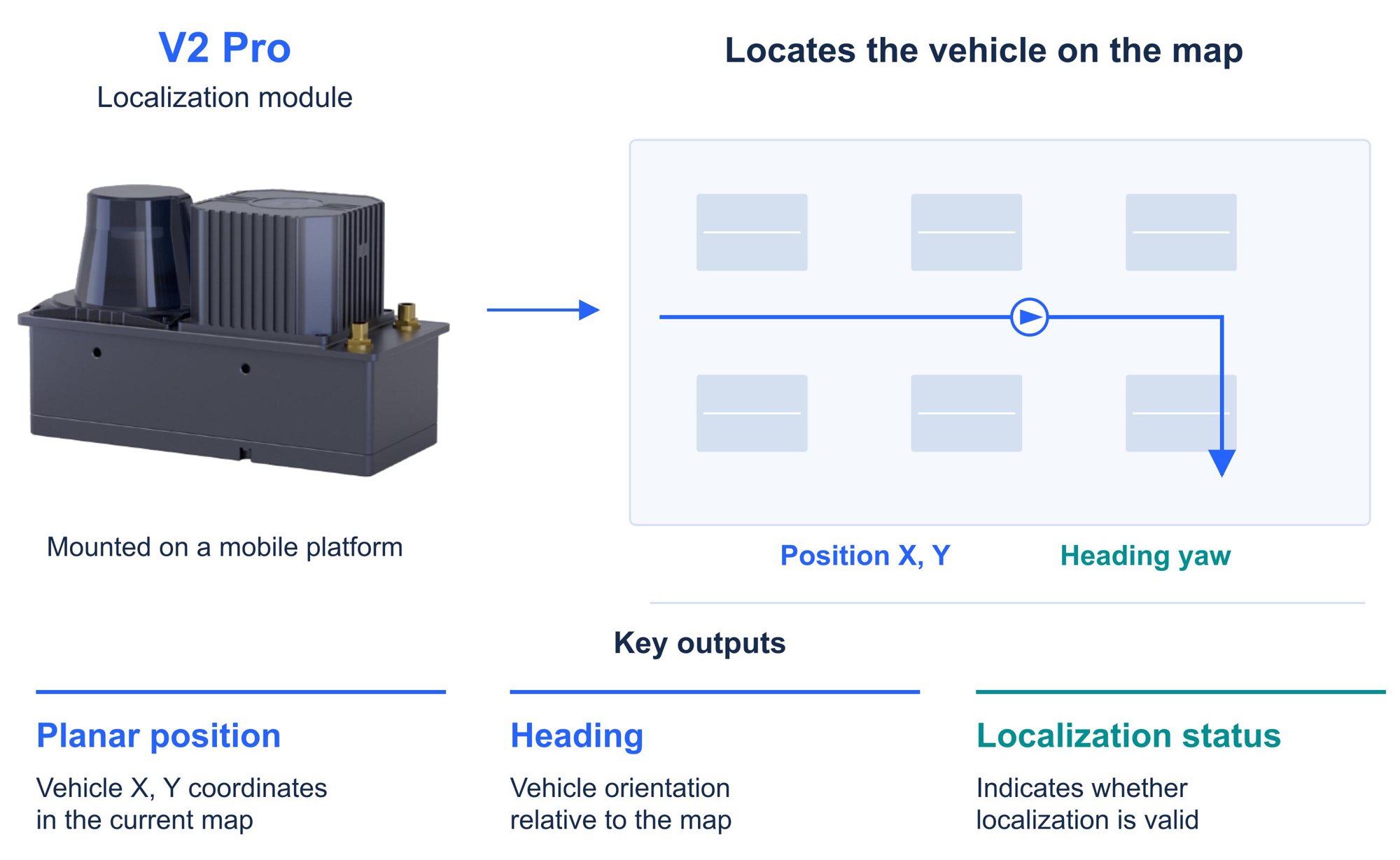
Application example
Operating and installation conditions
A normal mapping session should remain within 20,000 m² and 2,000 m of travel; mapping speed must not exceed 3 km/h. Use separate maps for each floor and configured QR relocalization where required. Short outdoor routes need project-specific assessment. For warehouses, validate overhead coverage and map updates; in factories, avoid chassis and load occlusion; for long corridors or floor-storage areas, assess overhead features, LiDAR contours and relocalization points.Software downloads and compatibility
Check Body, Frontend and embedded firmware versions separately. Use a compatible Frontend/Body pair; release-package names do not identify every component version. HTTP, MQTT, UDP and ROS 1/ROS 2 support integration. Physical wheel odometry is optional; do not perform its position and heading alignment when it is not connected. Check status and timestamps before using a pose. Localization does not replace obstacle detection, functional safety, task scheduling or a complete autonomous-driving system.Deployment and integration
1
Connect the equipment
Mount the controller on the vehicle roof, keep camera and LiDAR views clear, and connect power, network and required interfaces.
2
Calibrate and configure
Configure extrinsics and inspect streams; calibrate optional odometry only when it is connected.
3
Validate on site
Capture the target route, create and deploy the map, then validate localization and relocalization.
4
Integrate the results
Read poses through the required HTTP, MQTT, UDP or ROS interface and reject stale or invalid results.
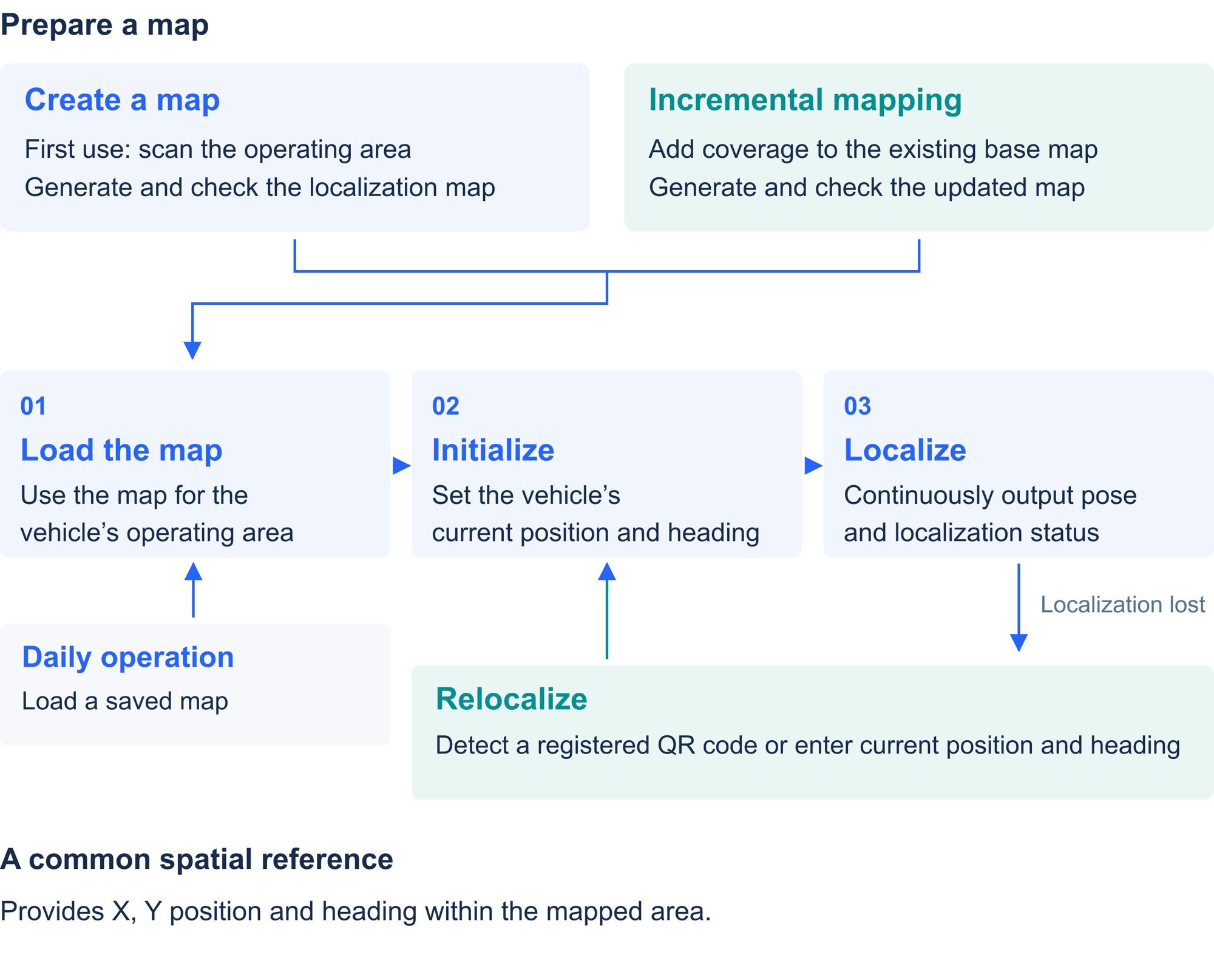
Deployment workflow
Latest downloads
Download white paper
V2 · English PDF
Download user manual
V0.1 · English PDF · 2026-10-10
Update package downloads
These three update packages belong to V1.2.1. Component version numbers in the original filenames are unchanged. The user manual is version V0.1.Download · Hardware update package
V1.2.1 · LxCameraViewer · 4.7 MB
Download · Firmware update package
V1.2.1 · Firmware Upgrade · 24.4 MB
Download · Frontend update package
V1.2.1 · Frontend · 14.0 MB
Software versions and downloads
Manual and white paper downloads
Software and document versions are managed separately. Select archived material for the application you have installed.
GitHub