
How it works and what it returns
TorusMetric measures stationary objects using one or more cameras. Length, width and height are in millimetres. bbox_volume_mm3 is the enclosing-box volume and includes gaps between objects in merged measurements. Optional real_volume_mm3 estimates volume from visible surfaces; it is not net internal material volume. Configure single-object, multi-object or merged measurement and up to five regions. Agree which volume field the WMS, TMS, ERP, MES or PLC will use.
Application example
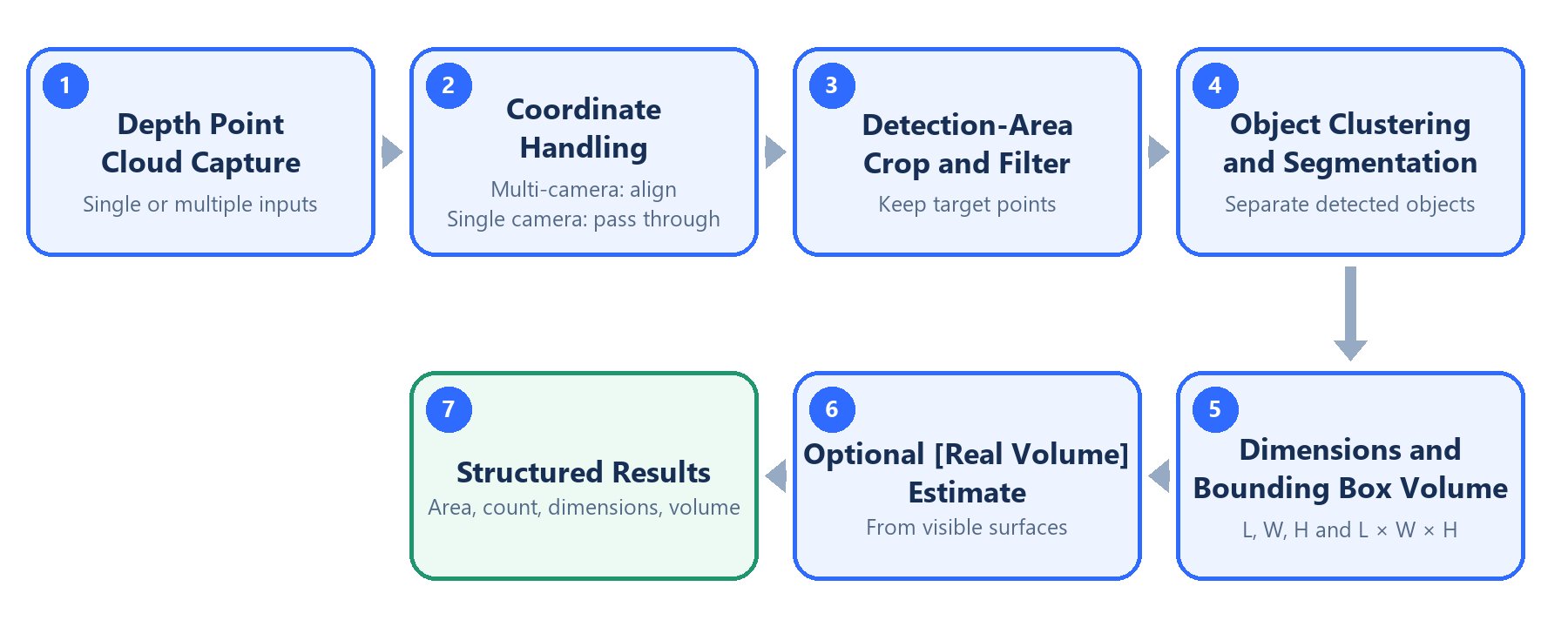
Principle of operation
Operating and installation conditions
Use the cameras, computing hardware and AW3 specified for the project. Standard mounting height is no more than 4 m with a rigid, stable support. Validate stationary objects around 20 cm or larger for the actual material and shape. Use a dry, sheltered indoor environment; the camera described in this setup is not waterproof. Multi-camera systems require extrinsic alignment, ground calibration and measurement-region configuration. One indoor white-paper test used 11 cameras over approximately 7.6 × 3.2 m at a height of about 3.1 m, recording approximately 3 cm dimensional error and 4.8% relative error for estimated volume. These are test-specific results, not universal guarantees. Camera-stitching error and object measurement error are different metrics; validate each using representative dimensions, materials, occlusions and placements. Install both frontend and backend from AW3 3.1.2; no separate TorusMetric download is required. TorusMetric 2.0.1 is an algorithm changelog revision. The available documentation does not establish a one-to-one mapping between that revision and AW3 installer versions.Deployment and integration
1
Connect the equipment
Install the required AW3 frontend and backend, check images and create camera groups.
2
Calibrate and configure
Align multiple cameras, calibrate the ground and define the valid measurement regions.
3
Validate on site
Choose single or merged measurement and confirm the dimension and volume fields.
4
Integrate the results
Validate with known-size samples, configure triggers and result transmission, and verify units in the host system.
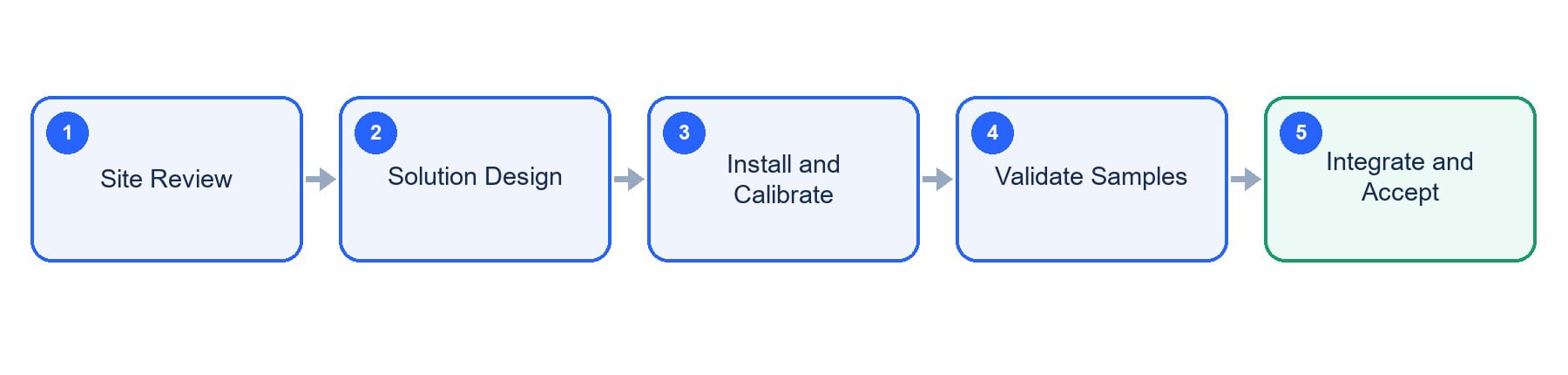
Deployment workflow

Latest downloads
Download user manual
V0.1 · English PDF
Download white paper
V0.1 · English PDF
Manual and white paper downloads
Software and document versions are managed separately. Select archived material for the application you have installed.
GitHub